
Record defects on site
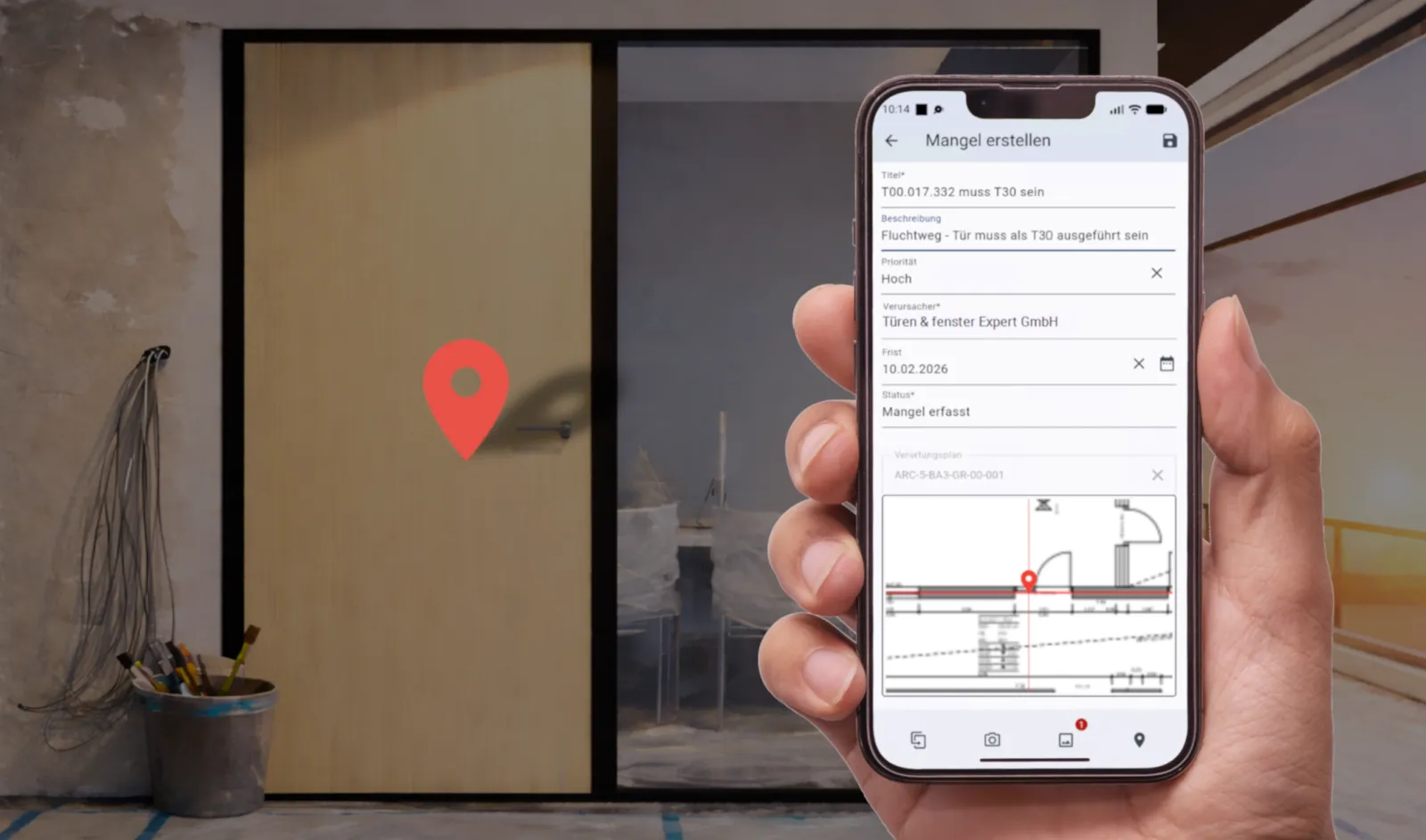
Photograph and describe defects, then tap the plan to pin their location. Assign responsibility, priorities and deadlines straight away.
Mobile
Record defects and daily site reports where the work happens, then sync them with your winplan project room. The winplan app is available for Android and iOS, with an interface in English and German.
What the app is
Delayed feedback and outdated revisions can make it harder to coordinate work between the office and site. The winplan app puts current plans, documents and tasks on your mobile device. Record defects and site diary entries on site and share them with the project team.
The app works together with winplan: all data comes together in the same project room, with the same permissions and the same history.
Features
Photograph and describe defects, then tap the plan to pin their location. Assign responsibility, priorities and deadlines straight away.
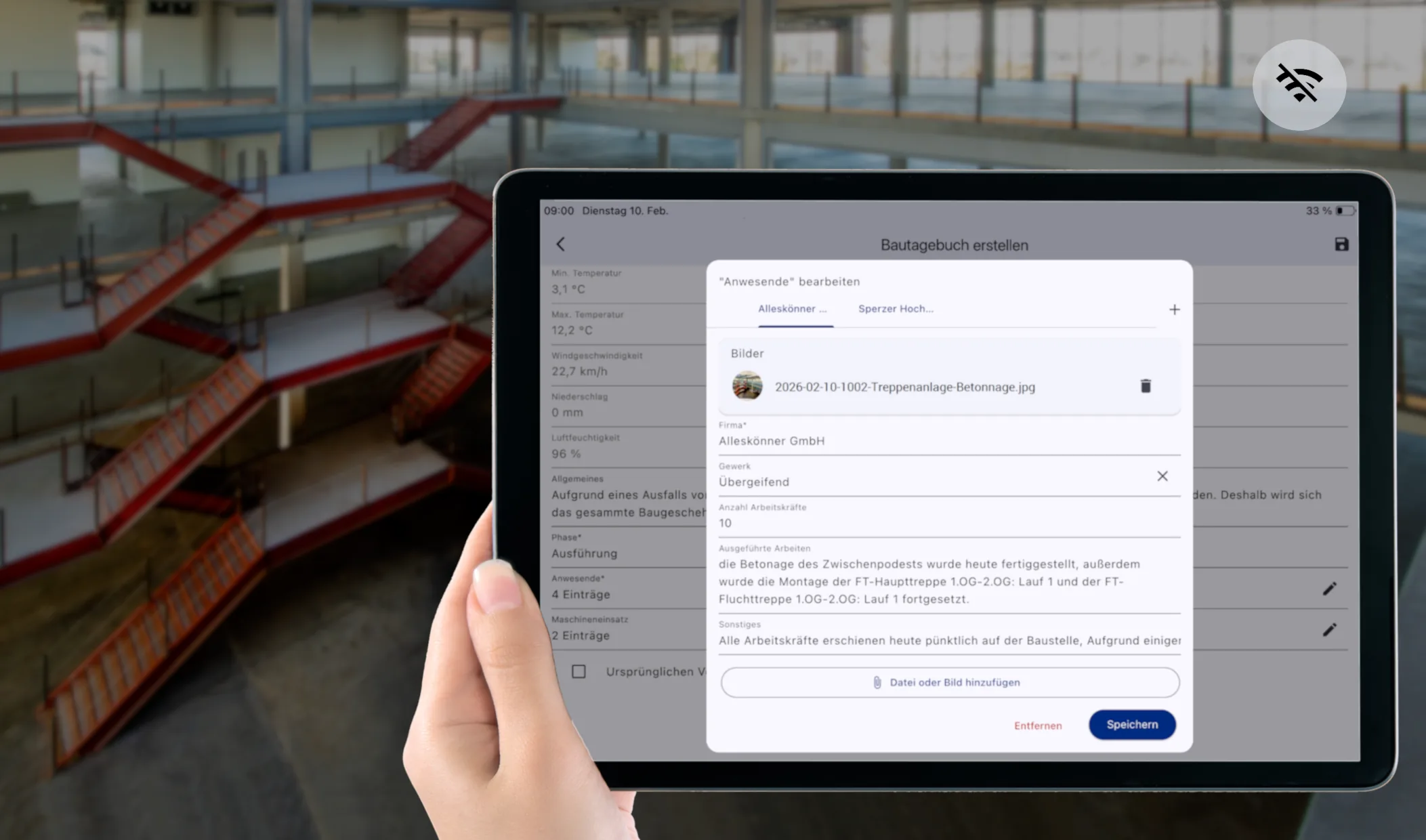
Record activities, attendance, notable events and changes, and attach photos to the relevant day. Weather data is added automatically.
Make documents available offline and record defects and site diary entries without a connection. Your data syncs with the project room when your device reconnects.
Access current plans, documents and team contact details during site inspections and coordination meetings.
Keep outstanding tasks, defects and documents together. Review, edit and complete tasks on your mobile device, and use search and filters to find what you need.
Scan the QR code on a printed plan with your smartphone and see whether the printout still matches the current revision.
Schematic views
The illustrations are schematic and contain no project or personal data.
Tap to mark the location, then add a photo and deadline.
Check defectOpen
Upload evidenceIn progress
Confirm planAssigned
Defect remediedDone
Tasks and defects together, with filters to find what you need.
From defect to documentation
Add a photo and description, pin the defect to a plan or complete a daily report, even without an internet connection.
When your device reconnects, your entries sync with the project room.
The people responsible are notified, deadlines are tracked and each defect stays visible until it is resolved.
Reports, data and communication are stored with an audit trail. That creates clarity if a dispute does arise.
Working together
The features available depend on your project’s modules. Explore the pages and guides below to find out more.
Pinned locations, assigned responsibilities, deadlines and defect notices with an audit trail.
Explore the module ModuleDaily reports, photos and full-text search in the digital site diary.
Explore the module (in German) Core platformThe project room where all app data comes together.
Find out more GuideWhat matters in digital defect tracking.
Read on (in German) GuideThe requirements and benefits of a digital site diary.
Read on (in German) ProductView BIM models in the browser, complementing the site app.
Find out moreFrequently asked questions
See the app and winplan in action in a live demo.
Request a demoYes. The winplan app is available for Android and iOS and connects to your winplan project room. Its interface is available in English and German.
Yes. The site diary can also be used offline. Entries are synchronised as soon as an internet connection is available again.
Photograph and describe the defect, then tap the plan to pin its location. Assign responsibility, set a priority and deadline, and track progress until it is resolved.
Yes. Weather data is added and updated automatically. You can add attendance, activities and notable events yourself.
The app is part of the winplan product family and works with the winplan project room. We can show you how they work together during a demo.
In 30 minutes, we will show you the workflows that matter to you. There is no obligation.